
If you are connected to Toast via SFTP and you click the Repull button on your DSR, you will see a pop-up with instructions rather than an automatic repull. This is because SFTP connections work by placing your reports on an FTP site. Once that data has been delivered, there is no way for clickBACON to retrieve it again automatically.
What to do instead:
We have identified 3 things that often cause the unbalanced DSR.
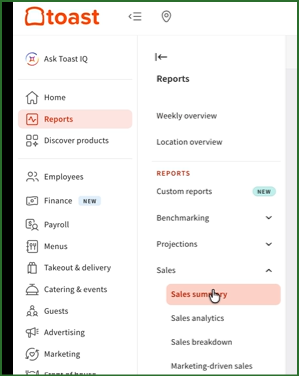
Log into your Toast account and open the Sales Summary report for the date in question and check to see if there are any amounts in the following fields.
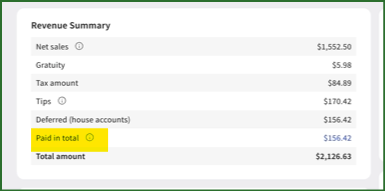
Under Revenue Summary:
- Paid In Total
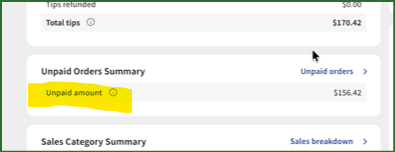
Under Unpaid Order Summary
- Unpaid Amounts
Under Payment Summary:
- Deposit Sales Collected
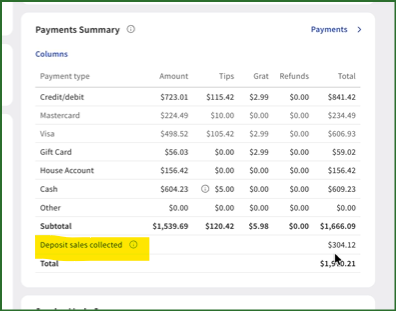
If you find amounts in any of those areas that are not reflected on your DSR, you will need to enter those as a manual expense on the DSR.
While you will need to enter these amounts each time they appear in your account, you can map paid ins, deposit sales collected and unpaid amounts to their respective GLs.
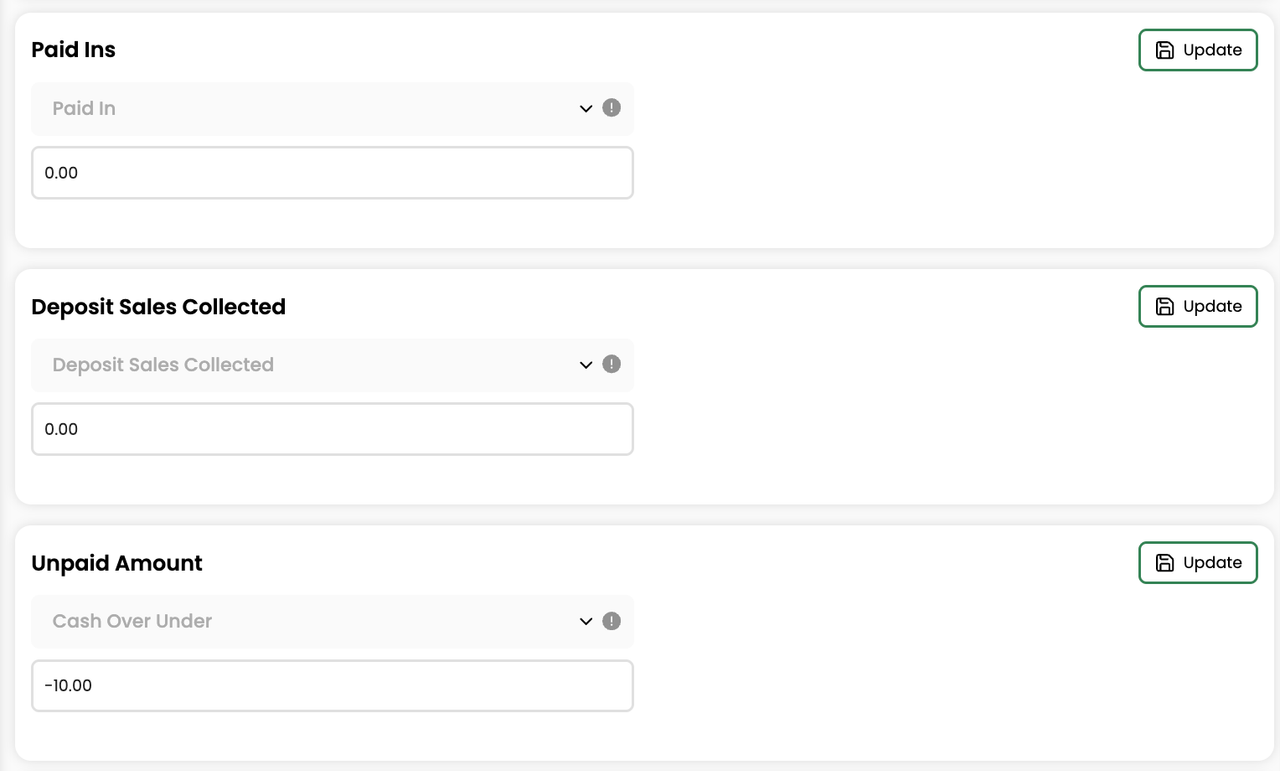
If you are unable to resolve the discrepancy or you have other issues with your DSR, contact us at support@clickbacon.com and we will investigate further.
Considering an Upgrade to Toast API
Switching from SFTP to the Toast API connection allows repulls to be processed automatically and eliminates this manual process entirely. See Set up Toast API Integration if you would like to make that switch.
Related Articles